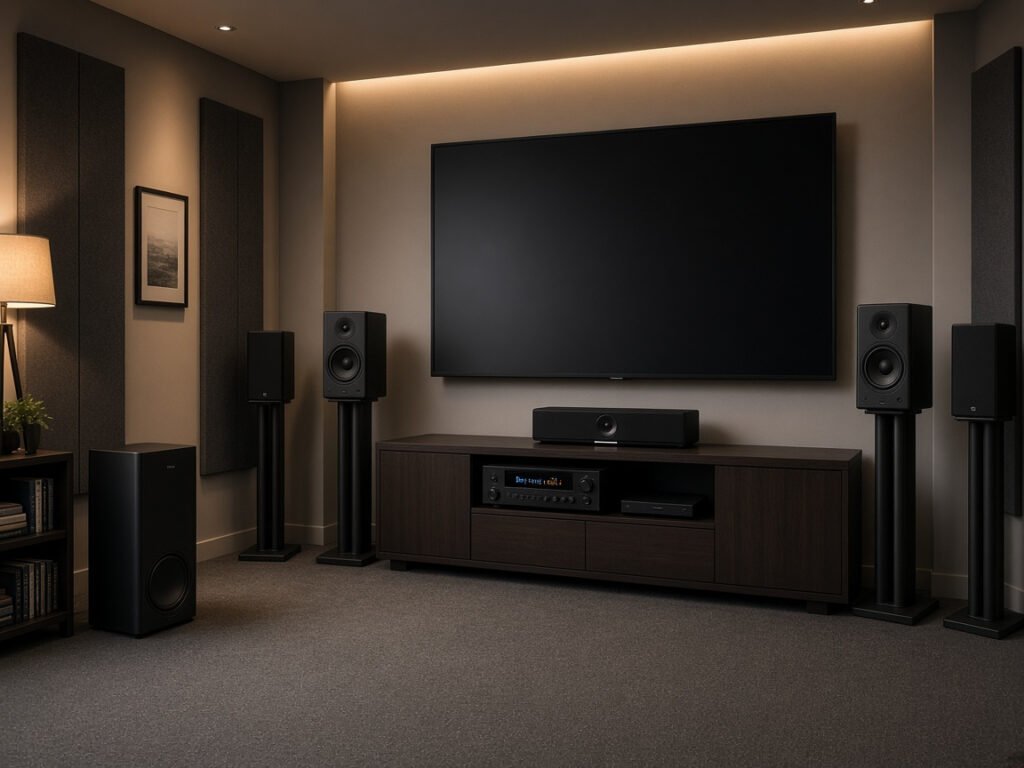
The right surround sound system at Best Buy comes down to three decisions you make before looking at any brand or bundle: the channel configuration your room can physically support, the receiver’s HDMI and room-correction specification, and subwoofer integration with your satellite speakers. Get those right and the rest follows.
Installation method shapes the final acoustic result as much as the hardware itself. Whether you’re comparing services across retailers — including walmart home theater installation packages — or evaluating Best Buy’s Geek Squad directly, correct speaker calibration is what separates a performing system from an expensive one that underdelivers on its shelf promise.
Key Takeaways Before You Shop
- Channel configuration first: A 5.1 discrete system handles most living rooms under 350 square feet. A 7.1 or 7.1.4 Atmos layout is only viable when room dimensions and ceiling height physically support it.
- Receiver specifications determine long-term value: HDMI 2.1 passthrough, eARC support, and automated room correction software — not headline wattage — are the specs that matter most at any price tier.
- Not all bundles include a qualified receiver: Some packages pair strong speakers with a receiver that clips at moderate listening levels. Always check continuous RMS power with all channels driven, not peak or single-channel ratings.
- Calibration closes the performance gap: A properly calibrated mid-range system consistently outperforms an uncalibrated premium system in real listening environments, based on widely reported owner experience across home theater communities.
What Does “Surround Sound System” Actually Mean at Best Buy?
A surround sound system is any audio configuration that places discrete speakers around the listening position to create a three-dimensional sound field. At Best Buy, the term covers everything from powered 2.1 soundbar systems to full discrete 7.1.4 component rigs built around a standalone AV receiver — a range that spans thousands of dollars and several fundamentally different engineering approaches.
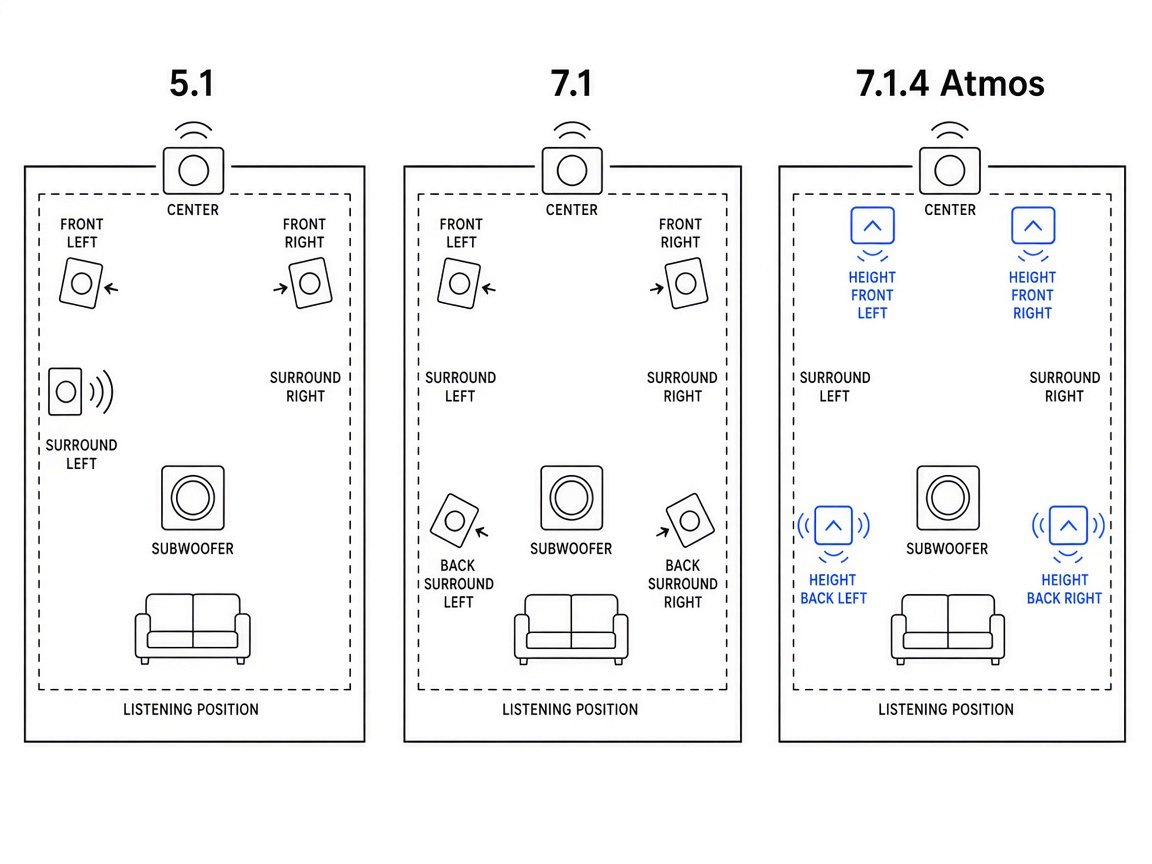
The naming convention — “5.1,” “7.1,” “7.1.4” — follows a consistent structure. The first number is the count of full-range satellite speakers. The second number is the dedicated subwoofer count (always 1 in consumer systems). A third number, when present, denotes overhead or height channels for Dolby Atmos or DTS:X object-based audio formats. Each additional channel requires a physically separate speaker and a receiver capable of decoding and amplifying that signal independently.
At the shelf level, Best Buy groups surround products into two broad categories: soundbar-based systems and component systems. A soundbar collapses most speaker channels into one enclosure, often supplemented by a wireless subwoofer and satellite rear speakers. A component system uses physically separate enclosures for every channel and requires a dedicated AV receiver. Each approach carries meaningful trade-offs in installation complexity, channel accuracy, and long-term upgrade flexibility.
Which Channel Configuration Is Right for Your Room?
Channel configuration is the first decision to lock in before examining any specific product. Buying the wrong configuration means overpaying for channels your room cannot activate properly, or under-buying a system that leaves obvious spatial gaps in the sound field under real listening conditions.
| Configuration | Speaker Count | Recommended Room Size | Atmos Support |
|---|---|---|---|
| 2.1 | 2 + subwoofer | Small rooms, desktop use | No |
| 5.1 | 5 + subwoofer | Up to ~350 sq ft | No |
| 5.1.2 | 5 + sub + 2 height | Medium rooms, 250–450 sq ft | Yes (entry-level) |
| 7.1 | 7 + subwoofer | 400–600 sq ft | No |
| 7.1.4 | 7 + sub + 4 height | 500 sq ft+ dedicated rooms | Yes (full object audio) |
For most living rooms under 350 square feet, a 5.1 discrete system or a high-performance 5.1-equivalent soundbar delivers full Dolby Digital and DTS decoding without over-engineering the layout. Rooms above 500 square feet with ceiling heights of 9 feet or greater are where a 7.1 layout begins to earn its keep. For a detailed comparison of the top-performing options at this configuration level, the best 7.1 surround sound systems guide covers current models ranked by specification and owner-reported performance.
What Surround Sound Brands Does Best Buy Carry?
Best Buy’s floor stock varies by store size and region, but the standard catalog spans a wide range of brands and price tiers. Understanding where each brand sits technically — not just by price point — makes direct comparison more productive.
Sony offers both standalone AV receivers and packaged home theater systems. The ES (Elevated Standard) line targets enthusiast-grade performance, with current ES receivers supporting Dolby Atmos, DTS:X, and Sony’s proprietary 360 Reality Audio spatial format. Sony’s packaged systems at Best Buy sit at mid-entry price points and pair a Sony receiver with matched satellite and subwoofer sets designed to operate within a consistent impedance range.
Denon and Yamaha dominate the standalone AV receiver category at Best Buy. Denon mid-range models include Audyssey MultEQ automated room correction; Yamaha units include YPAO (Yamaha Parametric room Acoustic Optimizer). Both are automated calibration systems that measure speaker output via a supplied microphone and adjust EQ, level, and delay to compensate for the specific acoustic characteristics of your room — a feature that justifies the step up from entry-level packaged systems where it is typically absent.
Klipsch and Polk Audio anchor the mid-range speaker category. Klipsch’s horn-loaded tweeter design is rated for high sensitivity, producing more output per watt than many conventional designs — a relevant factor if your AV receiver operates at modest continuous power. Polk Audio speakers are engineered to cover a broad impedance range and are commonly bundled with entry-to-mid-tier receivers in Best Buy packages.
Sonos operates as a distinct ecosystem at Best Buy. The Arc soundbar, Sub and Sub Mini, and Era 300 spatial audio speaker are designed for use exclusively within the Sonos app environment. If multi-room audio across the home is a priority alongside the main home theater, the best Sonos surround sound system configurations guide covers how those components combine into a full home theater setup and what the ecosystem trade-offs look like at each price tier.
How Do You Read AV Receiver Specifications Without Being Misled?
AV receiver specifications are among the most frequently misleading figures in consumer electronics. Understanding what the numbers actually reflect — and the conditions under which they were measured — is essential at every price tier.
Watts per channel (WPC): Always check the measurement conditions. A receiver rated at 100 WPC into 8 ohms with two channels driven is a substantially different device from one rated at 100 WPC into 6 ohms with all channels driven simultaneously. The second scenario reflects real listening conditions far more accurately. The FTC requires that receiver power ratings for US-market products reflect power output with all channels driven — look for this specification specifically when comparing receivers at Best Buy, as it is the only figure that reflects simultaneous multi-channel load.
Total Harmonic Distortion (THD): Measured as a percentage; lower is better. A THD figure at or below 0.08% at rated power is generally considered acceptable for home theater use. Some budget units advertise peak power with THD figures as high as 10%, which renders the rated power figure meaningless as a performance indicator — the amplifier is operating well outside its linear range at that point.
Automated room correction: Audyssey MultEQ XT32, Yamaha YPAO-R.S.C., and Pioneer MCACC are automated calibration systems that measure speaker output via a supplied microphone and adjust speaker delay, level, and frequency response to compensate for your room’s acoustics. These systems are present on mid-range and above receivers at Best Buy but are absent from most entry-level packaged systems — their inclusion alone frequently justifies the purchase price difference between tiers.
What Is the Practical Difference Between a Soundbar System and a Component System?
At Best Buy, soundbar-based systems and discrete component systems occupy the same floor space but represent fundamentally different engineering approaches to surround sound reproduction. The choice between them is not purely aesthetic — it carries direct consequences for spatial accuracy, upgrade flexibility, and installation complexity.
A soundbar consolidates the front left, center, and front right channels — and uses signal processing to simulate surround presence — into a single horizontal enclosure. The acoustic trade-off is that phantom surround imaging from a single enclosure cannot replicate the precise directional cues of physically separated speakers. That gap narrows significantly on premium soundbars using upward-firing Atmos drivers and wide-dispersion processing, particularly in living rooms where placement of rear speakers against walls or on stands is not practical.
A discrete component system places each speaker in its designated position relative to the listening chair, producing measurably accurate channel separation and allowing for independent crossover and level tuning per speaker. For spaces where speaker placement is possible, component systems deliver superior spatial accuracy by design. Where cable management or placement constraints are significant, a fully wireless configuration bridges a meaningful portion of that gap — the best wireless surround sound systems guide covers current setups that eliminate speaker wire entirely while maintaining discrete channel separation.
Which Connectivity Standards Should You Prioritize?
Connectivity standards govern both the audio and video signal paths in a home theater system. Purchasing a receiver without first verifying compatibility with your existing display and source devices is one of the most common and expensive errors made at the Best Buy checkout — and one of the least reversible once installation is complete.
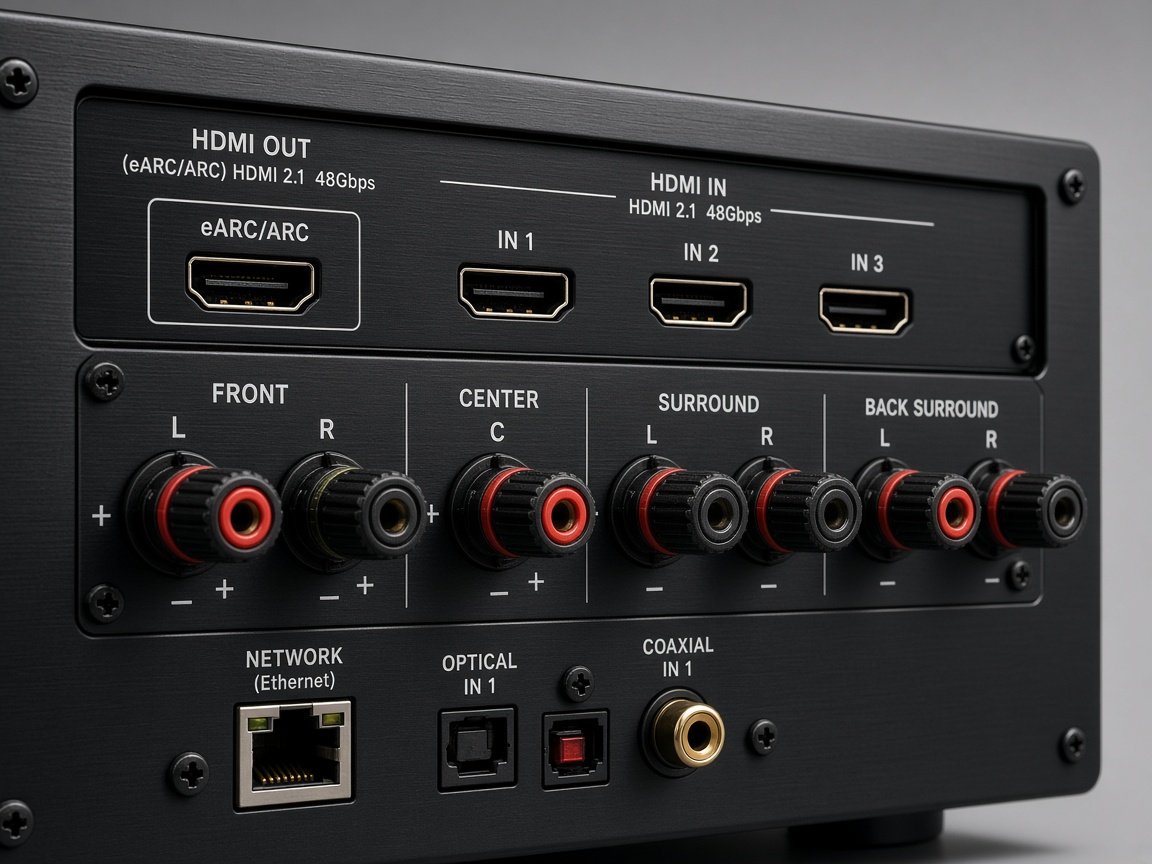
HDMI 2.1: The current standard for 4K at 120Hz, 8K at 60Hz, Variable Refresh Rate (VRR), and Auto Low Latency Mode (ALLM). HDMI 2.1 supports a maximum bandwidth of 48 Gbps per the HDMI 2.1 specification published by HDMI Licensing Administrator. If you own a PS5, Xbox Series X, or any 4K@120Hz-capable display, your receiver must include HDMI 2.1 ports on its video passthrough chain or the signal will be downgraded before it reaches the screen.
eARC (Enhanced Audio Return Channel): eARC carries lossless audio formats — Dolby TrueHD and DTS:HD Master Audio — from a compatible display back to the receiver over a single HDMI cable. Standard ARC is limited to lossy Dolby Digital and DTS. If your streaming devices connect directly to your TV rather than to the receiver, eARC is the only way to pass high-resolution audio to your surround sound system without a separate optical or coaxial output cable. Both your TV and your receiver must support eARC for the connection to function at the higher specification.
Wi-Fi and Bluetooth: Modern mid-range and above receivers at Best Buy include both. Wi-Fi enables streaming services, over-the-air firmware updates, and voice assistant integration. Bluetooth 5.x provides low-latency wireless audio from mobile devices. For fully wireless speaker deployments, verify that the receiver supports the same wireless audio protocol as the speakers you’re considering — Sonos, WiSA, and brand-proprietary systems are not cross-compatible, and mixing protocols produces either no connection or degraded performance.
How Should You Budget for a Surround Sound System at Best Buy?
Budget allocation at Best Buy’s surround sound section can be broken into three functional tiers. Each tier reflects not just price but the technical capability ceiling you are accepting at that investment level — and the upgrade path available when you want to improve the system later.
Entry tier (approximately $300–$700): This range covers most of Best Buy’s soundbar systems and entry-level packaged 5.1 sets. Receivers at this tier typically lack full automated room correction and may not include HDMI 2.1 passthrough. These systems suit smaller living rooms where basic surround separation is the primary goal and the content source is primarily streaming rather than lossless physical media.
Mid tier (approximately $700–$2,000): Component systems with capable AV receivers start here. A Denon or Yamaha receiver in the $500–$900 range paired with Polk Audio or Klipsch bookshelf and center speakers falls within this tier. Automated room correction, full Dolby Atmos and DTS:X decoding, and HDMI 2.1 passthrough are standard at this level. Owner reviews consistently identify this tier as delivering the strongest performance-to-investment ratio for home theater setups in rooms under 450 square feet.
Premium tier ($2,000 and above): At the premium level, Best Buy stocks flagship receivers from Denon and Yamaha alongside high-sensitivity floor-standing speakers from Klipsch and, in select stores, Bose Lifestyle configurations. Owner feedback at this tier consistently cites improved noise floor performance, more precise Atmos object rendering, and significantly better dynamic range at reference listening levels. For a broader look at top-performing options across all major configurations, the best home theater surround sound systems guide ranks current models across all price segments.
What Are Best Buy’s Installation and Support Options?
Best Buy’s Geek Squad offers tiered home theater installation services ranging from basic setup and cable management to room calibration with dedicated acoustic analysis. Understanding what each tier actually covers prevents the common disappointment of paying for a service that delivers less than anticipated.
Standard Geek Squad home theater installation typically covers receiver programming, speaker placement guidance, and HDMI signal path configuration. Advanced packages add speaker calibration using the receiver’s built-in room correction microphone, AV rack organization, and in some markets, wall-mount and in-wall cable services. Pricing and scope vary by ZIP code and by the technician assigned — confirm what is included in writing before the appointment, since the service description on BestBuy.com can differ from what individual technicians deliver in a specific installation context.
For DIY setups, the receiver’s automated room correction system handles the most critical calibration tasks without professional intervention. Place the supplied measurement microphone at the primary listening position, run the auto-calibration sequence, then manually verify the crossover setting between satellites and subwoofer — most auto-calibration systems set this conservatively high, which can muddy the lower midrange under real program material. For a comprehensive walkthrough of each stage in the setup process, the complete home theater installation guide covers the full sequence in technical detail.
What Step-by-Step Process Should You Follow When Buying at Best Buy?
A structured buying sequence prevents the most common regret scenarios — a system the room cannot physically accommodate, or one whose connectivity is incompatible with existing source devices and displays.
- Measure the room: Record length, width, and ceiling height. Note all structural constraints on speaker placement — alcoves, built-in cabinetry, or open-plan layouts that prevent rear surround speaker positioning.
- Inventory source devices: List every device that will connect to the receiver — gaming consoles, Blu-ray players, streaming sticks, cable or satellite boxes. Note each device’s maximum HDMI output version.
- Verify the display’s HDMI specification: Confirm whether your TV or projector supports eARC and HDMI 2.1. This determines which audio formats are accessible and which receiver features will function in your actual setup.
- Select a channel configuration: Based on room dimensions and placement constraints, decide between 5.1, 5.1.2, 7.1, or 7.1.4 before looking at any specific products on the floor or online.
- Choose receiver before speakers: The receiver is the system’s hub. Select one with the connectivity and room correction specification matching your room and source inventory, then match speakers to that receiver’s impedance and power ratings — not the other way around.
- Verify impedance compatibility: Cross-reference the receiver’s minimum rated impedance against each speaker’s impedance specification. A mismatch sustained at high volume can damage both the receiver and the speakers.
- Confirm subwoofer crossover range: The 80 Hz crossover point referenced in both Dolby and THX home theater calibration guidelines is the standard for most home theater LFE setups. Verify the subwoofer’s crossover range covers this point and overlaps with the satellites’ rated low-frequency roll-off.
- Evaluate bundle versus component pricing: Some Best Buy bundles carry a price premium over purchasing components separately. Compare the bundle’s receiver model against its standalone retail price — the package receiver may represent a tier below what an equivalent component spend would buy.
Reference Tools for the Buying Process
- Manufacturer specification sheets: Available on the product detail pages at BestBuy.com and each brand’s website — always cross-reference against the in-store shelf label before purchase.
- Receiver room correction documentation: Denon’s Audyssey setup guide and Yamaha’s YPAO documentation are published on the respective manufacturer websites and cover manual trim adjustments post-calibration.
- Best Buy’s in-store Magnolia experience centers: Available in select locations, Magnolia sections carry premium components and staff with deeper AV knowledge than the general home theater floor.
- BestBuy.com open-box listings: Open-box component systems are frequently available at significant reductions and carry a Geek Squad-verified condition rating — worth reviewing before committing to new inventory at the same tier.
What Are the Most Common Mistakes When Shopping at Best Buy?
Best Buy’s demonstration environments are acoustically favorable in ways that typical residential spaces are not. Several patterns of purchase error appear consistently across owner review data and home theater community feedback for systems purchased at major electronics retailers.
Over-buying for room size: A 7.1.4 Atmos system in a 200-square-foot room delivers no acoustic benefit over a well-configured 5.1 setup. It introduces placement problems — rear and height speakers positioned incorrectly relative to the listening chair — that actively degrade imaging accuracy rather than improving it. Buy the channel count the room physically supports, not the highest configuration the budget allows.
Underinvesting in the subwoofer: Owner reviews across multiple home theater communities consistently identify the subwoofer as the single component most responsible for perceived system quality in the sub-$2,000 range. A mediocre subwoofer degrades the entire listening experience; upgrading the subwoofer alone frequently produces the most noticeable performance improvement in an otherwise competent system. Budget allocation should reflect this priority from the outset rather than treating the subwoofer as an afterthought.
Ignoring room acoustics: Even a technically excellent system underperforms in an acoustically untreated room. Hard surfaces — bare floors, bare walls, glass — produce reflections that blur imaging and muddy dialogue intelligibility. This problem intensifies in small or irregularly shaped rooms. For room-specific acoustic treatment strategies, the home theater small room guide covers practical approaches for constrained and irregular layouts where standard treatment advice does not apply directly.
What Should You Expect From Surround Sound Technology Over the Next 12–24 Months?
The surround sound category is undergoing a convergence of object-based audio formats, wireless speaker technology, and AI-assisted room correction that will reshape Best Buy’s product floor through the end of 2027. Understanding these trajectories helps inform whether to buy now or wait for a specific capability.
AI-assisted room correction: Automated room correction systems like Audyssey MultEQ XT32 and Dirac Live currently apply static measurement-based corrections set at installation time. The next generation of these systems, in development at multiple AV receiver manufacturers, is expected to incorporate ongoing measurement using microphones embedded in the receiver or companion devices — dynamically adjusting as room conditions change when furniture is rearranged or when additional listeners occupy different positions. Some premium receivers from Arcam and Anthem already use iterative multi-pass correction; expect this capability to cascade into mid-range products from Denon and Yamaha within the next product cycle.
Wi-Fi 7 integration: Wi-Fi 7 (IEEE 802.11be) specifies a maximum theoretical throughput of approximately 46 Gbps — substantially higher than Wi-Fi 6E — and began appearing in flagship wireless audio devices in 2026. For multi-room audio and wireless surround speaker systems, Wi-Fi 7’s Multi-Link Operation (MLO) capability reduces latency characteristics that have been the primary technical objection to fully wireless home theater configurations at this performance tier.
Dolby Atmos content expansion: Streaming platforms including Netflix, Apple TV+, Disney+, and Amazon Prime Video have accelerated Dolby Atmos content availability through 2025 and into 2026. This trajectory supports purchasing Atmos-capable hardware now — the practical value of a 5.1.2 Atmos configuration is higher in 2026 than in prior years, as more content on major platforms is now mixed for Atmos object-based delivery rather than conventional 5.1 channel beds.
Frequently Asked Questions
Does Best Buy price-match surround sound systems?
Best Buy’s price-match policy covers identical products from select competitors and from BestBuy.com itself. The policy applies at the time of purchase and for a limited post-purchase window. Specific terms, eligible competitor list, and exclusions are updated periodically — confirm current terms at BestBuy.com before purchase. Open-box items, clearance pricing, and certain third-party marketplace sellers are typically excluded from price-match coverage.
Can you return an opened surround sound system to Best Buy?
Best Buy accepts opened electronics returns within a standard return window from the date of purchase. Extended windows apply to members of paid loyalty tiers. Specific return periods, restocking conditions, and applicable fees are subject to change — verify current return terms at BestBuy.com before purchase. Major home theater components, including AV receivers and speaker systems, may carry different conditions from standard small electronics items.
What is the best entry-level surround sound system at Best Buy?
At the entry tier, a mid-range Samsung or Vizio 3.1 or 5.1 soundbar system offers reliable performance for small to medium rooms where discrete speaker placement is not practical. For buyers willing to step into the $700–$1,000 component range, a Denon or Yamaha receiver paired with a Polk Audio 5.1 speaker package represents a significant performance improvement over comparable soundbar bundles — based on manufacturer specifications and owner-reported listening results at that price tier. The component route also provides a clear upgrade path as budget allows.
Does Best Buy sell Dolby Atmos-compatible surround sound systems?
Yes. Best Buy carries Dolby Atmos-compatible systems at multiple price tiers — from soundbars with upward-firing drivers starting at the mid-entry range to full discrete 7.1.4 component systems at the premium tier. Dolby Atmos decoding requires a compatible receiver or soundbar and Atmos-encoded source content, available on select Blu-ray discs and on streaming platforms including Netflix, Apple TV+, and Disney+. The receiver or soundbar must be explicitly rated for Atmos decoding — standard 5.1 or 7.1 receivers do not process Atmos height objects.
Is Geek Squad home theater installation worth the cost?
For first-time home theater buyers and for systems above the mid-tier price point, Geek Squad installation delivers primary value through speaker calibration and crossover tuning — not cable routing or cosmetic rack organization. A properly calibrated mid-range system outperforms an uncalibrated premium system in most listening environments, based on consistently reported owner experience. The calculus shifts for experienced buyers who understand the receiver’s automated calibration menu and are comfortable verifying crossover settings and channel levels manually post-calibration.
What is the difference between ARC and eARC, and why does it matter at Best Buy?
ARC (Audio Return Channel) passes compressed audio formats — Dolby Digital and DTS — from your TV back to your receiver or soundbar over a single HDMI cable. eARC (Enhanced Audio Return Channel) passes lossless formats including Dolby TrueHD and DTS:HD Master Audio over the same HDMI connection. If your primary source devices — streaming sticks, Apple TV, gaming consoles — connect directly to your TV rather than to the receiver, eARC is the only way to deliver lossless audio to your surround sound system through a single cable path. Both the TV and the receiver must support eARC for the higher-specification connection to function.
Next Steps: A Practical Timeline for Getting Your System Right
Choosing a surround sound system at Best Buy is a structured technical decision — not a brand preference exercise. The sequence below provides a clear path from initial research through final calibration, with realistic time estimates for each stage.
- Week 1 — Define constraints: Measure the room, inventory source devices, and check your display’s HDMI and eARC specification. This determines which receiver features will be usable in your actual setup and eliminates a large portion of the Best Buy catalog from consideration immediately.
- Week 1–2 — Select configuration and receiver: Choose a channel count the room physically supports. Then select a receiver at the appropriate tier — prioritizing HDMI 2.1 passthrough and automated room correction software for mid and above — before choosing speaker models.
- Week 2 — Match speakers to the receiver: Verify impedance compatibility, sensitivity ratings, and subwoofer crossover range. Cross-reference owner reviews for the specific speaker model in room sizes similar to yours to identify any reported deficiencies at your planned listening levels.
- Week 2–3 — Purchase and install: If installing yourself, run the receiver’s automated room correction before adjusting anything manually. If using Geek Squad, confirm the service scope in writing before the technician arrives to avoid scope disagreements at the installation.
- Week 3–4 — Fine-tune: After 10–15 hours of normal program listening, revisit crossover settings and subwoofer level. Most room correction systems benefit from a manual trim of the LFE channel after the initial calibration period stabilizes at normal thermal operating conditions.
The hometheaterinfoline.com editorial team maintains comparisons of surround sound systems across all major configurations and price segments. Use the channel configuration table and budget tiers in this guide as your primary decision filter, and verify every receiver specification against the conditions described here — continuous RMS power with all channels driven, THD at rated power, and HDMI version confirmed against your display and source devices — before committing to any purchase at Best Buy.