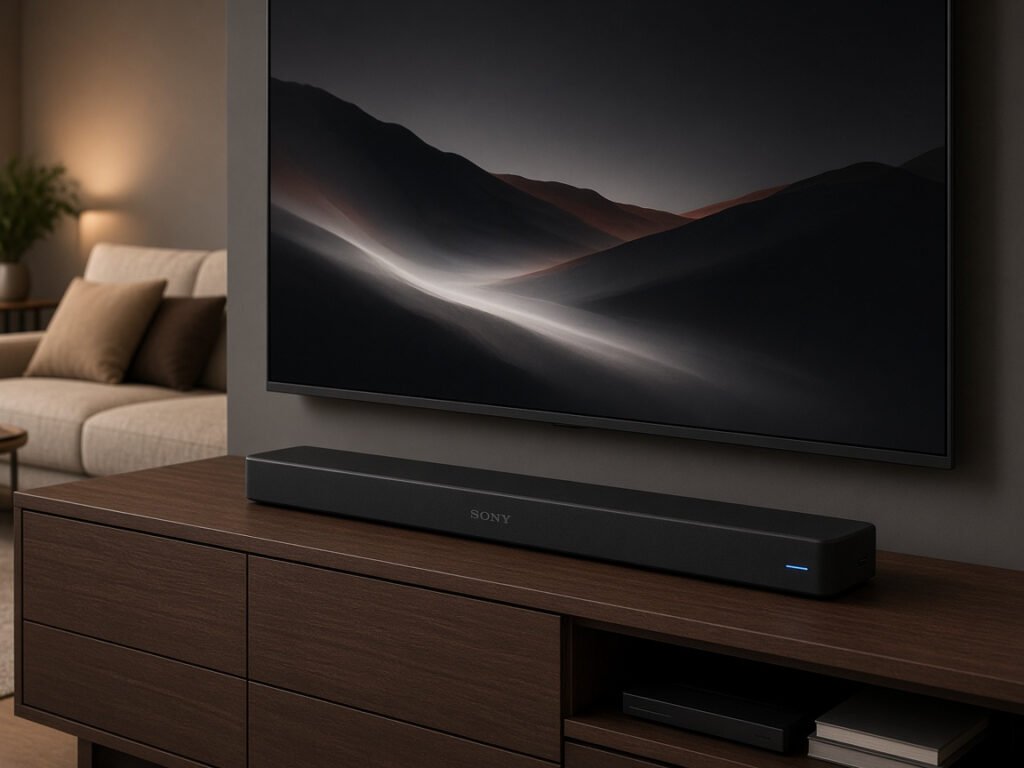
The Sony Bravia sound bar lineup is worth buying in 2026 if you own a compatible Sony Bravia TV — Acoustic Center Sync and 360 Spatial Sound Mapping give the ecosystem a measurable technical edge. Without a Sony TV, the bars remain competitive at each price tier, though several differentiating features go dormant.
Key Findings at a Glance
- Sony’s flagship HT-A7000 is rated at 500W across a 7.1.2-channel architecture, according to Sony’s product specifications.
- Acoustic Center Sync routes the center audio channel to a compatible Bravia TV’s internal speakers — creating a physical center channel aligned with the display plane, with no direct equivalent in most competing soundbar ecosystems.
- LDAC Bluetooth supports wireless audio transmission at up to 990 kbps at the highest quality setting, per Sony’s LDAC codec documentation — roughly three times the data rate of standard SBC at the same connection.
- Owner reviews on major retail platforms consistently identify strong dialogue intelligibility and convincing Atmos overhead imaging as the lineup’s strengths; the most recurring criticism targets bass definition in mid-tier models when used without an optional external subwoofer.
What Is the Sony Bravia Sound Bar Lineup?
Sony’s Bravia sound bar range is a family of soundbars engineered specifically to integrate with the Sony Bravia television platform. The “Bravia” designation signals more than branding — it identifies a set of proprietary protocols, including Bravia Sync (Sony’s implementation of HDMI-CEC), Acoustic Center Sync, and the Bravia Connect app ecosystem. These protocols unlock functionality that is unavailable or meaningfully diminished when pairing Sony soundbars with non-Sony televisions. The integration architecture is Sony’s answer to the fundamental soundbar limitation of a physically separated center channel: dialogue originates from the TV screen, while a bar mounted below or above that screen places the center speaker several inches away from the action on screen.
The lineup spans four principal product tiers in 2026, from the entry-level HT-S400 2.1-channel bar to the flagship HT-A7000 7.1.2-channel system. Sony also sells compatible expansion hardware — the SA-RS3S wireless rear satellite speakers and the SA-SW5 and SA-SW3 wireless subwoofers — that allow mid-range models to scale toward a fuller discrete surround configuration without running speaker cables. For buyers evaluating the full range of Sony’s current surround sound systems, the Bravia soundbar family represents the most ecosystem-integrated entry point in the brand’s lineup.
Which Models Make Up the Sony Bravia Sound Bar Range?
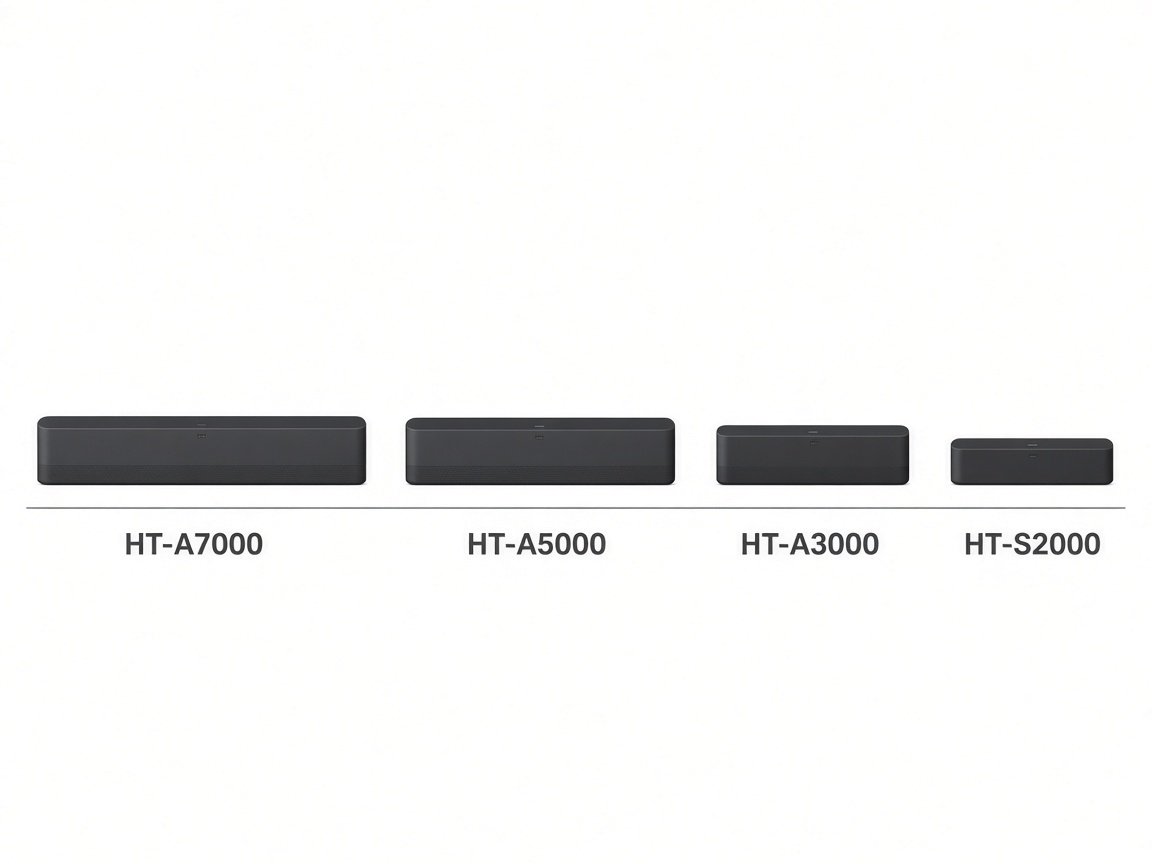
Sony structures its Bravia sound bar lineup into distinct channel configurations, each carrying a different set of onboard features. The table below summarizes the principal A-series and S-series models according to Sony’s product specifications.
| Model | Channels | Rated Power | Dolby Atmos / DTS:X | LDAC | 360 Spatial Sound Mapping | Wi-Fi / AirPlay 2 |
|---|---|---|---|---|---|---|
| HT-A7000 | 7.1.2ch | 500W | Both | Yes | Yes | Yes / Yes |
| HT-A5000 | 5.1.2ch | 450W | Both | Yes | Yes | Yes / Yes |
| HT-A3000 | 3.1ch | 250W | Both | Yes | No | No / No |
| HT-S2000 | 3.1ch | 250W | Both | No | No | No / No |
| HT-S400 | 2.1ch | 330W | No | No | No | No / No |
Source: Sony product specifications. All power figures are manufacturer-rated total output. Channel counts for A-series models reflect the base bar; physical rear surround requires the separately purchased SA-RS3S satellites.
The divide between the A-series and S-series is technically meaningful beyond price. A-series models include LDAC Bluetooth, Wi-Fi connectivity with Chromecast built-in and Spotify Connect, and — at the HT-A5000 and HT-A7000 tier — 360 Spatial Sound Mapping with an included calibration microphone. The S-series strips back network features and LDAC to deliver Dolby Atmos and DTS:X decoding at a lower price point. Buyers who plan to add the SA-RS3S rear satellites should note that only A-series bars support the full 360 Spatial Sound Mapping calibration process when rear speakers are connected.
The SA-SW5 wireless subwoofer is rated at 200W by Sony; the lower-priced SA-SW3 is rated at 100W. Both pair wirelessly to compatible A-series models. For buyers specifically focused on bass extension as part of a Sony soundbar system, the hometheaterinfoline.com editorial team has evaluated leading pairing configurations in its guide to the best Sony soundbars matched with a subwoofer.
What Are the Core Technical Specifications?
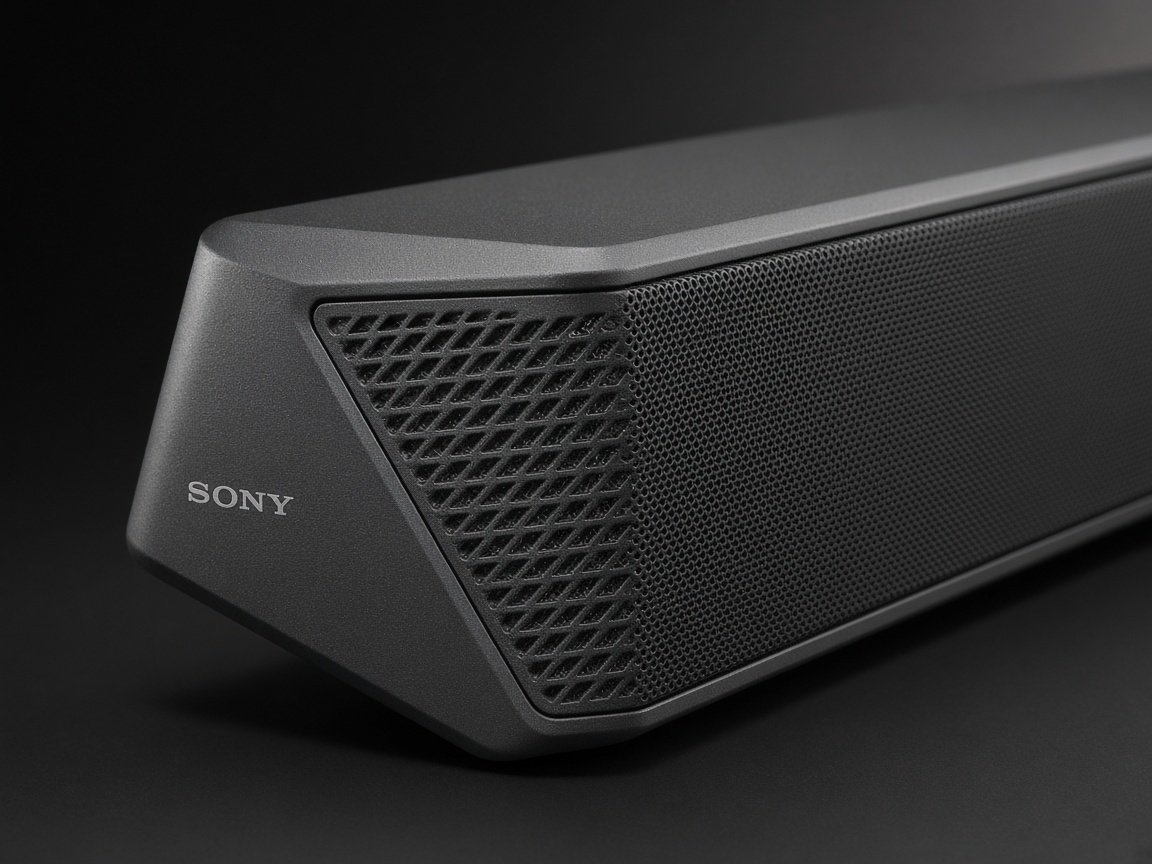
The HT-A7000 defines the ceiling of the Bravia sound bar lineup. According to Sony’s product specifications, it integrates 11 speaker elements — including dedicated side-firing beam tweeters and upward-angled drivers — into a 7.1.2-channel architecture rated at 500W total output. The five front-channel elements handle dialogue and stereo imaging. The side-firing beam tweeters project audio laterally to create virtual side-surround channels via wall reflections. The upward-angled drivers generate the ceiling-bounce reflections that Dolby Atmos processing relies on for height-layer separation. Sony documents this driver arrangement under the “Vertical Surround Engine” and “Wide Vertical Surround Engine” labels in its product technical documentation.
Codec support is broad across the A-series. The HT-A7000 and HT-A5000 decode Dolby Atmos (including Dolby TrueHD with Atmos objects from disc sources delivered via HDMI eARC), DTS:X, and DTS-HD Master Audio. The eARC port removes the bitrate ceiling that the older HDMI ARC standard imposed — this matters most when streaming services deliver Dolby Atmos at the TrueHD object layer rather than the compressed Dolby Digital Plus stream typically sent via standard ARC. The HT-A7000 also includes an HDMI input with HDCP 2.3 support, enabling 4K HDR passthrough for systems where sources connect directly to the soundbar rather than the TV. The HT-A5000 and lower models in the A-series omit this HDMI input; all source routing must pass through the television.
How Does Sound Performance Hold Up?
Performance analysis here draws on Sony’s driver specifications and acoustic design documentation, alongside aggregated owner reviews from major retail platforms — no in-unit listening was conducted by this editorial team, and all performance characterizations are attributed accordingly. With that framing established, the picture that emerges is consistent across sources.
Owners of the HT-A7000 and HT-A5000 frequently describe overhead Atmos imaging as convincing relative to competing soundbars in the same price bracket. The beamforming approach — bouncing audio off ceilings via upward-angled drivers rather than using physical height speakers — depends heavily on ceiling height, surface texture, and room geometry. Sony’s 360 Spatial Sound Mapping process, which uses the included microphone to measure reflection times and adjust delay parameters accordingly, is designed to compensate for room-to-room variation; owners on major retail platforms report improved overhead coherence after running the calibration sequence compared to default out-of-box settings.
Dialogue clarity is the most uniformly praised attribute across all Bravia sound bar tiers. Sony’s Centre Speaker Virtualization technology and — where Acoustic Center Sync is active — the Bravia TV’s physical internal speakers contribute to a stable, well-locked vocal image. Owner reviews on the HT-S2000 and HT-A3000 consistently identify center-channel focus as a strength even at the entry tier of the A-series, an area where many competing 3.1-channel bars receive more variable feedback.
Bass performance draws more variable owner feedback. The HT-A5000 integrates its subwoofer drivers within the bar chassis alongside a passive radiator section, contributing to the 5.1.2-channel rating from a single unit. Owner reviews note that low-frequency extension can feel restrained compared to a free-standing subwoofer of equivalent specification — a physical consequence of driver volume and cabinet size constraints. Adding the SA-SW5 (Sony-rated at 200W) addresses this, though it adds to the total system cost. The HT-A7000’s bass section is reproduced through onboard X-Balanced Speaker elements and passive radiators; owners seeking deeper extension for action film and music content at higher listening levels frequently pair it with the optional SA-SW5 or SA-SW3.
What Is Acoustic Center Sync and Why Does It Matter?
Acoustic Center Sync is a Sony-proprietary feature that routes the center audio channel signal from the connected soundbar to the internal speakers of a compatible Sony Bravia television, turning the TV into a physical center speaker. The practical effect is a center channel that emanates from the same plane as the display rather than from a soundbar positioned below or above it. This geometry more accurately matches where dialogue sources appear on screen and addresses a fundamental limitation of all floor-level or furniture-mounted soundbar designs. It is not a virtualization technique — it is a physical discrete channel routed to actual speakers in the TV chassis.
Activation requires a compatible Sony Bravia TV connected via HDMI eARC, with Bravia Sync (HDMI-CEC) enabled on both devices. Sony lists supported Bravia models in its compatibility documentation; the feature is available on select 2021-onwards Bravia XR, Bravia 8, and Bravia 9 series models, though compatibility details vary by region and firmware version. For buyers building a fully integrated Sony AV chain, the hometheaterinfoline.com editorial team’s overview of top Sony home theater systems covers how Acoustic Center Sync fits within the broader Bravia ecosystem architecture.
How Does the Bravia Sound Bar Handle Connectivity?
The A-series Bravia soundbars offer a comprehensive connection set by soundbar standards. Physical inputs on the HT-A7000 include HDMI eARC (for lossless audio from the TV), a full HDMI input with 4K HDR passthrough and HDCP 2.3, a digital optical input, and a USB-A port for local audio file playback. Wireless connectivity covers Wi-Fi (dual-band 2.4 and 5 GHz), Bluetooth 5.0 with LDAC, Chromecast built-in, Apple AirPlay 2, and Spotify Connect — per Sony’s product specifications. Amazon Alexa is integrated on the HT-A7000, allowing direct voice control without a separate smart speaker in the room.
- HDMI eARC — lossless Dolby TrueHD and DTS-HD MA passthrough from compatible TVs; replaces the bitrate-limited HDMI ARC standard
- HDMI input (HT-A7000 only) — 4K HDR passthrough with HDCP 2.3; allows direct source connection bypassing the TV
- Digital optical — standard Dolby Digital and DTS bitstream decoding; maximum 5.1 PCM
- Bluetooth 5.0 with LDAC — up to 990 kbps wireless audio on A-series models; standard SBC/AAC on S-series
- Wi-Fi (A-series only) — Chromecast built-in, Apple AirPlay 2, Spotify Connect; enables multi-room audio integration
- USB-A — local playback of FLAC, WAV, MP3, and AAC files from USB storage
- Alexa built-in (HT-A7000) — voice-activated playback, volume control, and smart home integration
The HT-S2000 and HT-S400 from the S-series reduce the connection set considerably. Wi-Fi, AirPlay 2, and LDAC are absent. Those models connect via HDMI eARC, optical, and standard Bluetooth — covering the majority of common use cases but removing network streaming and high-resolution wireless audio capabilities. Buyers for whom multi-room audio or high-bitrate Bluetooth playback is a priority should restrict their evaluation to the A-series.
How Does Sony Compare to Sonos, Samsung, and Bose?
Benchmarking the Sony Bravia sound bar against its principal rivals reveals clear trade-offs in codec support, room calibration depth, and ecosystem dependency. The table below draws on manufacturer specifications for the HT-A7000 alongside three competing flagship soundbars in the same general price tier.
| Feature | Sony HT-A7000 | Sonos Arc / Arc Ultra | Samsung Q990-Series | Bose Smart Soundbar 900 |
|---|---|---|---|---|
| Channel Architecture | 7.1.2ch (manufacturer-rated) | Multi-driver Atmos bar (Sonos does not publish X.X.X channel count) | 11.1.4ch with included rears (Samsung-rated) | 7-driver Atmos bar (Bose does not publish X.X.X channel count) |
| Rated Power | 500W (Sony) | Not published by Sonos | 656W (Samsung HW-Q990C/D spec) | Not published by Bose |
| Dolby Atmos | Yes | Yes | Yes | Yes |
| DTS:X | Yes | No | Yes | No |
| LDAC Bluetooth | Yes (up to 990 kbps) | No | No | No |
| AirPlay 2 | Yes | Yes | No | No |
| Room Calibration | 360 Spatial Sound Mapping (mic-based, A5000 / A7000 only) | Trueplay (mic-based) | SpaceFit Sound (mic-based) | ADAPTiQ (mic-based) |
| Rear Speakers Included | No (SA-RS3S sold separately) | No (Sonos Era 100 sold separately) | Yes (included in Q990-series box) | No (Bose Surround Speakers sold separately) |
| TV Ecosystem Dependency | High (Bravia TV for Acoustic Center Sync / Bravia Sync) | Low (ecosystem is Sonos-centric, not TV brand-specific) | High (Samsung TV for SpaceFit Sound and Q-Symphony) | Low (functions fully independent of TV brand) |
Sources: Sony, Sonos, Samsung, and Bose product specification pages. Samsung 656W figure drawn from HW-Q990C/D published specification sheet.
The DTS:X omission on Sonos Arc and Bose Smart Soundbar 900 limits their compatibility with physical media sources and streaming platforms that deliver in DTS formats — a meaningful gap for home theater setups that include a Blu-ray player. Sonos compensates with Trueplay room calibration and deep integration across the broader Sonos multi-room ecosystem. Samsung’s Q990-series produces the highest driver count available from a single-bar purchase and includes rear satellites in the box, which is a significant cost advantage for buyers who want discrete physical surround channels from day one. For buyers evaluating the Sonos ecosystem separately, the hometheaterinfoline.com comparison of the best Sonos surround sound configurations provides a parallel benchmark against which the Sony lineup’s trade-offs become clearer.
What Are the Limitations to Know Before Buying?
- Acoustic Center Sync requires a compatible Sony Bravia TV. Buyers pairing the soundbar with a non-Sony or incompatible Sony television cannot activate this feature, eliminating one of the lineup’s most distinctive technical differentiators without any price reduction at point of sale.
- 360 Spatial Sound Mapping is restricted to the HT-A5000 and HT-A7000. The HT-A3000 and HT-S2000 lack this capability; room correction on those models relies on a simpler algorithm without microphone-based acoustic measurement.
- Ceiling-bounce Atmos depends on room geometry. The upward-firing drivers redirect audio toward the ceiling to create height-channel effects via reflection. Vaulted, heavily raked, or acoustically treated ceilings reduce the effectiveness of this approach. Rooms with non-standard ceiling geometry may require physical in-ceiling or separate upward-firing add-on speakers to achieve convincing overhead Atmos staging.
- No HDMI input on the HT-A5000 and below. Unlike the HT-A7000, the A5000 and lower A-series models lack a direct HDMI source input; all HDMI routing must pass through the television, which introduces dependence on the TV’s HDMI switching and processing chain.
- Physical rear surround channels require a separate purchase. The 7.1.2 or 5.1.2 channel count implied by A-series model designations reflects Sony’s manufacturer-claimed virtual channel architecture. Buyers who want physical discrete rear speakers must purchase the SA-RS3S satellites separately.
- Ecosystem premium without full access. Buyers who do not own a compatible Sony Bravia TV pay the same retail price as those who do, while Acoustic Center Sync, Bravia Sync unified control, and several Bravia Connect app features remain unavailable or reduced in function.
How Do You Set Up a Sony Bravia Sound Bar?
The following procedure applies to A-series Sony Bravia soundbars connected to a compatible Sony Bravia TV. Steps reference Sony’s official setup documentation and owner-reported configuration sequences.
- Position the soundbar. Place the bar centered below the TV with the upward-firing drivers completely unobstructed. Avoid placing objects on top of the soundbar — they impede the ceiling-bounce reflection path the Atmos engine uses to generate height-channel effects. Sony’s product documentation recommends a minimum clearance of 100 mm (approximately 4 inches) between the top of the bar and any surface above it.
- Connect via HDMI eARC. Run an Ultra High Speed HDMI cable (certified 48 Gbps) from the soundbar’s eARC port to the TV port labeled “ARC” or “eARC.” This cable carries both audio and control signals. Standard High Speed HDMI cables support ARC but cannot guarantee full eARC bandwidth for Dolby TrueHD or DTS-HD Master Audio passthrough.
- Enable HDMI-CEC on the TV. Navigate to the TV’s settings menu and activate Bravia Sync — Sony’s HDMI-CEC implementation. This allows the Bravia TV remote to control soundbar volume and enables the Acoustic Center Sync handshake between devices.
- Power on the soundbar and run initial setup. Follow the on-screen prompts via the Bravia Connect app (iOS and Android) or the soundbar’s front-panel controls. The app provides firmware update management, input assignment, and EQ access from a single interface.
- Activate Acoustic Center Sync (compatible Bravia TVs only). In the soundbar’s settings menu — accessible via the app or the soundbar remote — navigate to Speaker Settings and enable Acoustic Center Sync. The TV confirms activation via an on-screen notification. Verify the TV’s internal speakers are not muted in the TV audio menu.
- Pair rear satellites if installed (HT-A3000, HT-A5000, HT-A7000). Power on the SA-RS3S speakers and hold the PAIRING button on each unit until the LED flashes rapidly. Navigate to Speaker Settings in the soundbar menu and select Add Rear Speakers to initiate the pairing sequence. Each satellite confirms pairing with a solid LED.
- Run 360 Spatial Sound Mapping calibration (HT-A5000 and HT-A7000 only). Place the included calibration microphone at ear height in the primary listening position. Navigate to 360 Spatial Sound Mapping in the settings and follow the calibration sequence. The system emits test tones, measures room reflection times and levels, and adjusts speaker delay and output parameters. Sony recommends running calibration in the room’s normal furnishing configuration.
- Select Sound Field mode for content type. Sony’s preset modes — including Cinema, Music, Game, and Dolby Atmos — apply different DSP curves to the decoded audio. For Dolby Atmos or DTS:X-encoded content, Auto mode activates the relevant decoder. Game mode reduces processing latency; Sony specifies a low-latency figure of approximately 25 ms in this setting on compatible A-series models according to its product documentation.
Room acoustics significantly influence the perceived performance of ceiling-bounce Atmos. Buyers fitting a Sony Bravia sound bar into a compact or acoustically challenging space will find detailed guidance in the hometheaterinfoline.com resource on home theater design for small rooms, which addresses ceiling treatment, speaker placement, and wall-reflection management strategies.
Who Is the Sony Bravia Sound Bar Best Suited For?
The Sony Bravia sound bar lineup makes its strongest case for buyers who already own or are actively purchasing a Sony Bravia XR, Bravia 8, or Bravia 9 television. In that configuration, Acoustic Center Sync, Bravia Sync unified control, and the shared Bravia Connect app layer deliver a genuinely integrated AV system — something requiring separate multi-brand configuration to approximate on competing hardware. The HT-A5000 represents the most defensible value within the A-series for most living room configurations: 360 Spatial Sound Mapping, LDAC, Wi-Fi streaming, AirPlay 2, and 450W output cover the core technical requirements without the HT-A7000’s larger chassis footprint or the separate subwoofer purchase that flagship owners frequently find necessary.
Buyer Verdict by Profile
- Sony Bravia TV owner, mid-range budget: HT-A5000. Full 360 Spatial Sound Mapping and microphone calibration, Acoustic Center Sync compatibility, LDAC, and AirPlay 2 at a step below flagship pricing.
- Sony Bravia TV owner, flagship budget: HT-A7000 + SA-RS3S + SA-SW5. Closest the Bravia ecosystem reaches to a discrete multi-speaker system without in-wall cabling. Plan for the accessory cost from the outset.
- Non-Sony TV owner, technically motivated: HT-A5000 or HT-A3000. Acoustic Center Sync and 360 Spatial Sound Mapping are absent or reduced, but LDAC, Dolby Atmos, DTS:X, AirPlay 2, and Chromecast remain fully functional.
- Budget-focused buyer: HT-S2000. Dolby Atmos and DTS:X decoding, HDMI eARC, and a 3.1-channel architecture at the range’s entry point. LDAC and Wi-Fi streaming are absent at this tier.
Buyers still weighing whether a soundbar system or a fully discrete multi-speaker configuration better suits their space will find the hometheaterinfoline.com editorial team’s analysis of the best home theater surround sound systems a useful reference point for understanding the performance trade-offs between soundbar convenience and discrete component design.
What Does the Next 12–24 Months Look Like for Sony Soundbars?
Several trends visible in Sony’s recent product trajectory suggest the direction the Bravia sound bar lineup is likely to develop through 2027. Sony has progressively deepened the AI-driven elements of its audio processing — the 360 Spatial Sound Mapping system already uses onboard signal analysis to adapt output to room geometry, and further firmware-level refinement of that calibration algorithm is a natural continuation of that path. Sony has also positioned its Cognitive Processor XR branding as a cross-product platform spanning both Bravia televisions and upper-tier soundbars, indicating that the Bravia Connect ecosystem is designed to continue converging TV and audio management into a single app-driven interface rather than diverging into separate control surfaces.
HDMI 2.1 passthrough adoption is another area of active development across the category. The HT-A7000 currently provides 4K HDR passthrough on its HDMI input, but 8K and high-frame-rate gaming passthrough remain absent or limited in the current lineup. As Sony’s gaming division (PlayStation) and display division (Bravia) operate under shared corporate direction, low-latency gaming audio — including ALLM (Auto Low Latency Mode) and broader VRR compatibility at the soundbar level — is an area where hardware or firmware progression is plausible within this window. These are projections based on observable product direction; Sony has not publicly announced specific features for future Bravia sound bar revisions as of the date of this analysis.
Frequently Asked Questions About the Sony Bravia Sound Bar
Does the Sony Bravia sound bar work with non-Sony TVs?
Yes. All Sony Bravia soundbars function with non-Sony televisions via HDMI eARC, optical, or Bluetooth. The core limitation is that Acoustic Center Sync and Bravia Sync unified remote control require a compatible Sony Bravia TV connected via HDMI eARC with HDMI-CEC enabled on both devices. All codec decoding (Dolby Atmos, DTS:X), LDAC high-resolution Bluetooth, Wi-Fi streaming, and AirPlay 2 remain fully available on A-series models regardless of TV brand.
What is the difference between Dolby Atmos and 360 Spatial Sound Mapping on Sony soundbars?
Dolby Atmos is a codec and mixing format that carries discrete overhead audio objects within an encoded stream. 360 Spatial Sound Mapping is Sony’s proprietary processing layer, applied after Atmos decoding, that uses room-calibration data from the included microphone to distribute audio across a virtual multi-speaker array tailored to the specific listening environment. The two work in combination: Atmos provides the object-based source audio; 360 Spatial Sound Mapping adapts how that audio is projected into the room. 360 Spatial Sound Mapping is exclusive to the HT-A5000 and HT-A7000 within the current Bravia lineup.
Does the Sony HT-A7000 include a subwoofer?
The HT-A7000 reproduces bass through its onboard X-Balanced Speaker elements and passive radiators within the bar chassis — there is no separately enclosed subwoofer in the standard package. Sony offers the SA-SW5 (rated at 200W by Sony) and SA-SW3 (rated at 100W by Sony) as optional wireless subwoofer accessories that pair to the HT-A7000. Owner reviews on major retail platforms consistently recommend pairing a subwoofer for action film and music content, particularly at higher listening levels.
Does the Sony Bravia sound bar support high-resolution Bluetooth from a phone or tablet?
A-series models (HT-A7000, HT-A5000, HT-A3000) support Bluetooth 5.0 with LDAC, allowing high-resolution wireless audio from LDAC-compatible Android devices at up to 990 kbps at the highest quality setting, per Sony’s LDAC codec documentation. S-series models (HT-S2000, HT-S400) use standard Bluetooth without LDAC. The A-series also supports Spotify Connect and, via Wi-Fi, Apple AirPlay 2 and Chromecast built-in for streaming from iOS, Android, and desktop sources over the local network.
What HDMI cable is required for HDMI eARC?
An Ultra High Speed HDMI cable (certified at 48 Gbps bandwidth) is required to guarantee full HDMI eARC bandwidth for Dolby TrueHD and DTS-HD Master Audio passthrough. Standard High Speed or Premium High Speed HDMI cables support ARC but cannot reliably sustain the data rate required for lossless audio formats over eARC. Cables carrying the HDMI Ultra High Speed Certification label from HDMI Licensing Administrator, Inc. provide the most reliable identification of compliant cables at point of purchase.
Can I add rear speakers to any Sony Bravia sound bar?
The SA-RS3S wireless rear satellites are compatible with the HT-A7000, HT-A5000, and HT-A3000. S-series models (HT-S2000, HT-S400) do not support SA-RS3S pairing. The full 360 Spatial Sound Mapping calibration process with connected rear speakers runs only on the HT-A5000 and HT-A7000; the HT-A3000 supports rear satellite pairing but without the microphone-based spatial calibration pass.
How does the Sony Bravia sound bar compare to the Vizio soundbar range at the same price point?
At comparable price points, Sony A-series models offer LDAC Bluetooth, AirPlay 2, and proprietary ecosystem integration with Bravia TVs — features absent from most Vizio soundbars. Vizio’s strength lies in cost-per-channel value and wide retail availability. Buyers prioritizing high-resolution wireless audio and deep Sony TV integration will find the A-series more capable; buyers focused on maximizing channel count per dollar will find Vizio’s lineup competitive. The hometheaterinfoline.com editorial team has evaluated the Vizio soundbar range in detail for buyers considering that alternative.
Is the Sony Bravia Sound Bar Worth It in 2026?
The Sony Bravia sound bar lineup justifies its positioning in 2026 for buyers who match it to its intended context. Within a Sony Bravia TV setup, the combination of Acoustic Center Sync, 360 Spatial Sound Mapping, LDAC, AirPlay 2, and the Bravia Connect integration creates a unified AV system that competitors cannot replicate from a single soundbar purchase without additional hardware. Outside that context, the A-series remains technically competitive — LDAC, broad codec support, and network streaming features hold up against alternatives — but the premium over competing bars becomes harder to justify without full access to the ecosystem features the price includes.
Actionable Next Steps
- Confirm your TV compatibility first. Check Sony’s published Acoustic Center Sync compatibility list for your specific Bravia model and current firmware version before committing to any A-series purchase. Compatibility varies by region and production year.
- Define your channel and budget tier before shortlisting models. HT-S2000 for Atmos entry-level; HT-A3000 for LDAC and rear-satellite expansion potential; HT-A5000 for 360 Spatial Sound Mapping with built-in bass integration; HT-A7000 for the flagship driver count, HDMI input, and Alexa built-in.
- Plan your subwoofer decision at the point of purchase. If selecting the HT-A7000, factor the SA-SW5 or SA-SW3 into your initial budget. Owner feedback consistently indicates the bar alone is underwhelming for bass-heavy film and music content at moderate to high listening levels.
- Assess your ceiling geometry before ordering. Rooms with standard 8–9 ft flat ceilings produce the most effective ceiling-bounce Atmos results from Sony’s upward-firing drivers. Measure your listening distance and ceiling conditions against Sony’s placement guidance in the product manual before expecting accurate height-channel performance.
- Run 360 Spatial Sound Mapping during initial setup, not afterward. On HT-A5000 and HT-A7000 models, completing the microphone calibration sequence during the first setup session rather than deferring it produces better baseline performance from day one, based on the documented calibration methodology.