
Sonos turns a home theater into part of a larger wireless audio network. The core proposition is a cable-free Dolby Atmos system — up to a 5.1.4 configuration per Sonos product specifications — that integrates seamlessly into whole home audio systems spanning every room. The practical tradeoff is a proprietary, closed ecosystem with no DTS support and no native integration with third-party AV equipment.
- Sonos Arc and Beam Gen 2 connect via HDMI eARC and support Dolby Atmos; the entry-level Ray uses optical TosLink only and does not support Dolby Atmos.
- The highest-tier Sonos home theater configuration — Arc + Sub Gen 3 + two Era 300 speakers — delivers a 5.1.4 Dolby Atmos system according to Sonos product specifications.
- Sonos does not support DTS or DTS:X — a confirmed hardware-level limitation that affects playback of some physical media and streaming sources encoded in that format.
- Trueplay acoustic calibration adjusts the system’s frequency response to the room’s acoustic characteristics; the full measurement process requires an iOS device, while a simplified auto-tuning variant is available on Android.
What Makes Sonos a Viable Home Theater Audio Platform?
Sonos was designed from the ground up as a networked, multi-room audio system. Its expansion into home theater came through the introduction of HDMI eARC connectivity and Dolby Atmos decoding in its soundbar lineup. What distinguishes the platform in a home theater context is not raw format support or maximum loudness — it is the degree of integration between streaming services, voice assistants, and room-to-room audio that traditional AV receivers typically require significant additional configuration to replicate.
The Sonos S2 app functions as the single control surface for the entire ecosystem. Streaming sources including Apple Music, Spotify Connect, Amazon Music HD, Tidal, and others are natively supported, eliminating the need for external streamers in many setups. For television audio, Arc and Beam Gen 2 receive the signal over HDMI eARC, decoding Dolby Atmos passed through from the connected display. The TV remains the switching hub for all connected sources — Sonos functions as an audio endpoint, not an HDMI matrix.
The honest evaluation of Sonos against a conventional receiver-based system comes down to simplicity versus flexibility. Sonos removes the cabling complexity of a 5.1 or 7.1 installation, but it also removes the ability to connect a turntable, a CD transport, or a secondary legacy source directly to the audio chain. For a modern streaming-first home theater, that tradeoff is frequently acceptable. For a system built around physical media or legacy sources, it requires careful advance planning to avoid capability gaps after the installation is complete.
Which Sonos Products Are Designed for Home Theater Use?
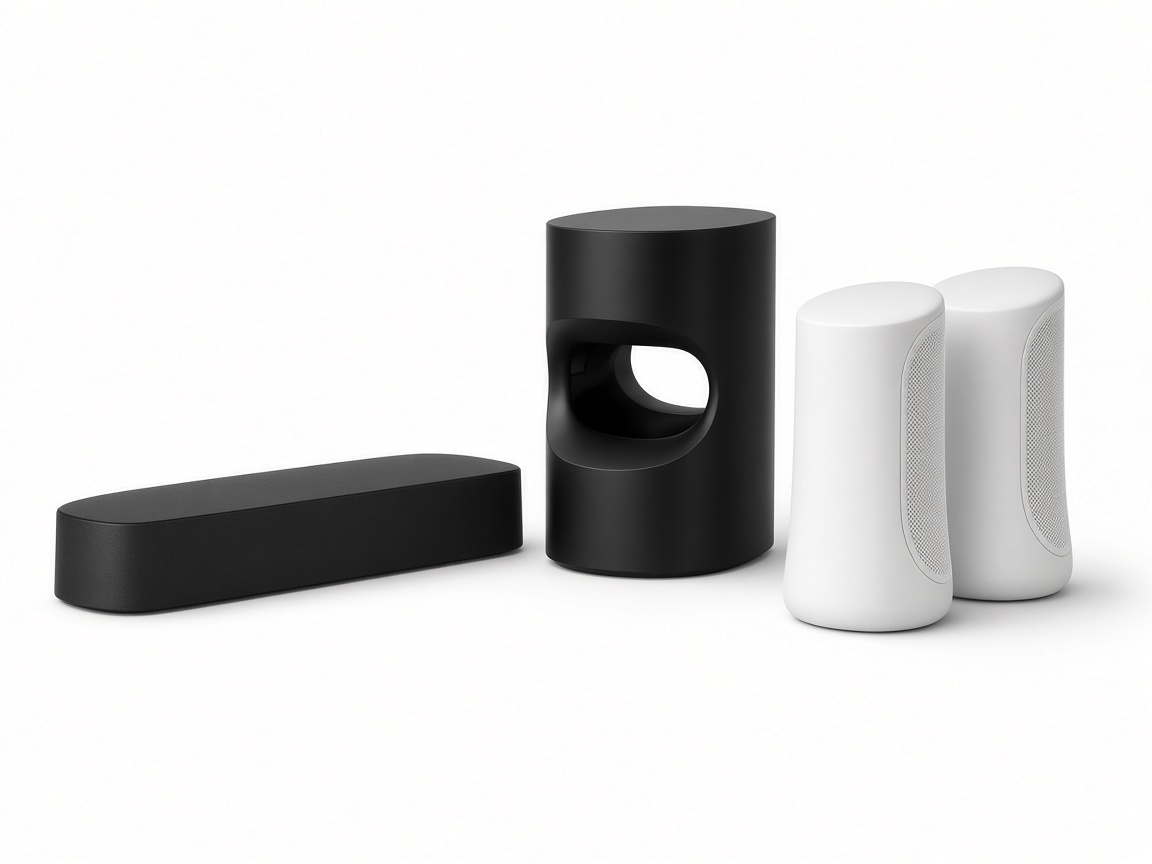
Sonos publishes a defined product hierarchy for home theater, with three soundbars at different capability tiers, two subwoofer options, and two speaker series that can be bonded as wireless surround channels. Not all combinations are supported — the Sonos S2 app enforces compatibility at the bonding stage, so verifying which speakers pair with which soundbar before purchasing prevents costly mismatches.
| Product | TV Connection | Dolby Atmos | Surround Pairing Options | Sub Pairing Options |
|---|---|---|---|---|
| Sonos Arc | HDMI eARC | Yes | Era 300 (stereo pair) or Era 100 (stereo pair) | Sub Gen 3 or Sub Mini |
| Sonos Beam Gen 2 | HDMI eARC | Yes | Era 300 (stereo pair) or Era 100 (stereo pair) | Sub Gen 3 or Sub Mini |
| Sonos Ray | Optical TosLink | No | Era 100 (stereo pair only) | Sub Mini only |
| Sonos Era 300 | Wi-Fi / Ethernet | Yes (height channels) | Bonds as surround pair with Arc or Beam Gen 2 | N/A in surround role |
| Sonos Era 100 | Wi-Fi / Ethernet | No | Bonds as stereo surround pair | N/A in surround role |
| Sonos Sub Gen 3 | Wireless (Sonos) | N/A | N/A | Pairs with Arc or Beam Gen 2 |
| Sonos Sub Mini | Wireless (Sonos) | N/A | N/A | Pairs with Ray, Beam Gen 2, or Era 100 |
The highest-performing configuration in Sonos’s product lineup is Arc + Sub Gen 3 + a bonded Era 300 pair. According to Sonos product specifications, this arrangement delivers a 5.1.4 channel system: five primary channels from the Arc’s eleven Class D digital amplifiers (left, center, right, plus two side-firing channels), one subwoofer channel from the Sub’s dual force-cancelling woofers, and four height channels — two from the Arc’s upward-firing drivers and two from each Era 300’s upward-firing driver. This is the only configuration in which Dolby Atmos height information from both the soundbar and the surround speakers is active simultaneously.
Era 100 speakers bonded as surrounds produce a 5.1 system without height channels — a capable configuration for everyday television content and streaming, though the absence of overhead Atmos information is perceptible on well-mixed cinematic content. The Era 100 configuration suits rooms where ceiling reflections are poor: low ceilings, heavily treated spaces, or rooms with exposed beams that would prevent clean upward reflection regardless of speaker capability. Owner reviews across dedicated audio communities consistently describe the Era 100 surround setup as well-balanced for general TV use.
How Does Sonos Arc Connect to a TV and AV Setup?
Sonos Arc requires HDMI eARC for its primary audio connection. HDMI eARC — enhanced Audio Return Channel — is defined in the HDMI 2.1 specification and allows lossless and object-based audio formats, including Dolby Atmos and Dolby TrueHD, to travel from the TV back to the connected soundbar over a single HDMI cable. Without eARC, the Arc falls back to Dolby Digital Plus or lower-bandwidth formats, and full TrueHD Atmos is unavailable. This distinction is documented in Sonos’s connection requirements materials and deserves attention early in any home theater system setup process.
Most televisions manufactured since 2019 include at least one HDMI eARC port, typically the HDMI port positioned nearest the TV’s edge and labeled “eARC” or “ARC/eARC.” If the port is unlabeled on the TV body, the owner’s manual will specify which HDMI port carries eARC capability. Purchasing a TV without first confirming eARC availability is a common planning oversight that limits the Arc’s audio performance from day one.
The Arc does not function as an HDMI switching hub. All source devices — Blu-ray players, game consoles, streaming sticks, cable boxes — must connect directly to the TV. The TV then passes audio downstream to the Arc via eARC. Some TVs re-encode Dolby Atmos before transmitting over eARC, which degrades the signal. Sonos’s configuration documentation recommends disabling all internal audio processing on the TV — Dolby Volume, Auto Volume Leveling, Sound Enhancer modes — and setting the HDMI audio output mode to “Passthrough” or “Auto” to avoid re-encoding.
How Does Sonos Trueplay Tuning Work in a Home Theater?
Trueplay is Sonos’s proprietary acoustic calibration system. It analyzes the acoustic characteristics of the listening environment by using a microphone to measure how sound reflects, absorbs, and builds up at multiple positions in the room. The Sonos S2 app then generates frequency response corrections for each speaker in the home theater group, compensating for room-induced coloration at the listening position.
The full Trueplay measurement process requires an iPhone or iPad running the Sonos S2 app. The user holds the device and walks a specified pattern through the room while test tones play through each speaker in sequence. According to Sonos documentation, the process takes approximately one to two minutes per speaker pair. The iOS device microphone captures measurements from many positions across the room, which the system processes into a fixed EQ correction applied transparently during all subsequent playback. Trueplay recalibration is recommended any time furniture is rearranged, new soft furnishings are added, or speakers are repositioned.
Android users access a simplified auto-tuning variant that uses the microphone array built into the Sonos speakers themselves rather than the phone. The auto-tuning version runs faster but gathers fewer measurement positions, so its corrections are less granular. Sonos has not published a technical comparison of the two methods’ measured outcomes. In practice, the iOS Trueplay is expected to deliver more accurate correction in acoustically challenging rooms — irregular shapes, hard-surfaced spaces, or large open-plan arrangements. Running the full iOS Trueplay after adding absorption panels to the room’s most reflective surfaces reduces the magnitude of correction the algorithm needs to apply, resulting in a more natural baseline output.
What Audio Formats Does Sonos Support — and What Does It Miss?
Sonos Arc and Beam Gen 2 support Dolby Atmos, Dolby TrueHD, Dolby Digital Plus, Dolby Digital 5.1, AAC, and stereo PCM. For streaming services that deliver Dolby Atmos content — including Netflix, Disney+, Apple TV+, and Amazon Prime Video — the Arc decodes and renders object-based spatial audio when the TV passes the signal without re-encoding. For standard Dolby Digital 5.1 content, all three soundbars operate without format-related limitations, though Ray is limited to Dolby Digital 5.1 via its optical connection and receives no object-based audio at all.
The significant omission is DTS. Sonos does not support any DTS format: not DTS 5.1, not DTS-HD Master Audio, and not DTS:X. This is a persistent hardware-level limitation documented in Sonos’s format compatibility materials. For users whose Blu-ray or UHD Blu-ray library contains DTS-encoded discs, the most common workaround is to allow the TV to decode DTS internally and output a PCM signal over eARC to the Arc — but this depends entirely on whether the specific TV model’s audio processor can decode DTS and output PCM 5.1 or PCM 7.1 over eARC. Some televisions perform this decode correctly; others downmix to two-channel stereo PCM, discarding multichannel spatial information entirely. Results vary by manufacturer and by firmware version, so testing is required on a per-TV basis. This limitation is a consequential consideration when designing a home theater system that includes physical media playback.
- Supported: Dolby Atmos, Dolby TrueHD, Dolby Digital Plus, Dolby Digital 5.1, AAC, stereo PCM
- Not supported: DTS, DTS-HD Master Audio, DTS:X, DTS Virtual:X
- Atmos via streaming: Available on Arc and Beam Gen 2 with HDMI eARC connection
- Atmos via Ray: Not available — optical connection cannot carry Dolby Atmos
How Do You Mix Sonos with an Existing AV Receiver?
Sonos is not designed to integrate with a traditional AV receiver in a single unified audio chain. The two systems operate independently and cannot share speaker assignments or audio decoding functions. They can coexist in the same room by using the TV as the routing point: sources connected to the AV receiver send audio to the TV via HDMI, and the TV passes audio over eARC to the Sonos Arc for streaming and TV-based content. The AV receiver and the Sonos Arc then operate as two separate audio paths selected via the TV’s input menu.
A more deliberate integration uses the Sonos Port or Sonos Amp as a bridge. The Port accepts an analog RCA or digital optical input, allowing an AV receiver’s zone 2 analog output to feed into the Sonos ecosystem for multi-room music distribution. This is a one-directional path: the AV receiver sends audio to Sonos zones; the Sonos system does not feed audio back into the AV receiver’s speaker channels. For users who want the best of both disciplines — a full-calibration AV receiver driving passive speakers for cinema audio alongside Sonos for multi-room music streaming — this hybrid approach is the practical starting architecture.
To illustrate the tradeoff: consider a room with an existing 7.1 AV receiver installation and passive tower speakers. Adding Sonos Arc to that room for streaming convenience while keeping the AV receiver active for Blu-ray and DTS content means operating two separate volume controls, two separate remote surfaces, and two independent calibration systems. Owner forum accounts describe this as workable but not seamless — switching between paths requires deliberate input selection rather than any automated handoff. The complexity grows with the number of sources in the room.
What Network Infrastructure Does Sonos Require for Reliable Performance?
Sonos audio streams over a home network — either the household’s existing Wi-Fi or via SonosNet, Sonos’s proprietary mesh networking protocol. SonosNet operates on the 2.4GHz band and activates automatically when any Sonos speaker or component is connected via Ethernet: the wired device broadcasts a SonosNet mesh that other Sonos devices join wirelessly, reducing their dependence on the main household router and creating a dedicated audio-optimized network path.
For home theater setups, Sonos recommends connecting at least one device — typically the Arc or a standalone Sonos Boost — to the router via Ethernet. This creates the SonosNet backbone. Wireless surround speakers — Era 300 or Era 100 bonded as surrounds — join this mesh rather than the household Wi-Fi. According to Sonos network documentation, SonosNet uses a channel separate from the household’s standard traffic, which helps maintain the consistent audio synchronization across all bonded speakers that lip-sync integrity for video requires.
Wi-Fi-only setups are supported and functional for most households. The practical risk factors for Wi-Fi audio dropouts include router distance, interference from adjacent 2.4GHz networks, and high network congestion during peak hours. Sonos recommends 802.11b/g/n or ac (Wi-Fi 5) compatibility and a dedicated SSID on the 5GHz band in dense wireless environments. For a planned installation with conduit or access to wall cavities, running a single Ethernet drop to the Arc location is a low-cost step that substantially improves long-term reliability for the entire Sonos system.
Step-by-Step: Setting Up Sonos Arc as Your Home Theater Foundation
The following process covers the standard Arc-based home theater setup from initial connection through Trueplay calibration. For comprehensive room planning before beginning — covering display positioning, acoustic treatment, and seating layout — the complete home theater setup guide addresses those prerequisites in full before the audio installation stage.
-
Confirm the HDMI eARC port on the TV. Locate the HDMI port labeled “eARC” or “ARC/eARC.” If unlabeled on the TV body, check the owner’s manual. Standard ARC limits Dolby Atmos to Dolby Digital Plus; full TrueHD Atmos requires eARC. Without confirmed eARC, Dolby Atmos via Arc is unavailable.
-
Disable competing audio settings on the TV. Navigate to the TV’s audio settings and disable internal processing enhancements — Dolby Volume, Auto Volume Leveling, Sound Enhancement modes. Set the HDMI audio output to “Passthrough” or “Auto.” Re-encoding on the TV side degrades the Atmos signal before it reaches the Arc.
-
Connect the Arc to the TV via HDMI. Use a certified High-Speed HDMI cable at minimum; an Ultra High Speed cable is preferred for TrueHD Atmos. Connect the Arc’s HDMI port (marked eARC) to the TV’s designated eARC port. The Arc is separately powered via its own cable.
-
Download the Sonos S2 app and create an account. The S2 app is required for initial configuration. During setup, assign the Arc to a room, give it a name, and follow the in-app prompts to connect it to the household Wi-Fi network.
-
Connect the Arc via Ethernet if at all possible. Plugging an Ethernet cable into the Arc’s rear port activates SonosNet, creating a dedicated mesh backbone for wireless surround speakers and significantly improving system stability.
-
Add and bond the Sub Gen 3. Power on the Sub and open the S2 app. Under the Arc’s room settings, select “Add Surrounds or Sub.” The app guides the wireless bonding process automatically; no manual pairing codes are required. Confirm the Sub appears as “bonded” in the room configuration view.
-
Add and bond the Era 300 or Era 100 surround speakers. Position the surround speakers to the left and right of the primary listening position — ideally at approximately ear height when seated. Add them via the same “Add Surrounds or Sub” pathway. The app confirms left/right assignment and prompts placement verification. For Era 300 speakers, ensure the upward-firing driver faces an unobstructed ceiling for height channel reflection.
-
Run Trueplay tuning from the Arc’s room settings. Select Trueplay in the S2 app and use an iOS device for the full measurement process. Walk the specified path through the room, holding the device at varying heights. The process takes approximately two minutes and must not be interrupted mid-measurement.
-
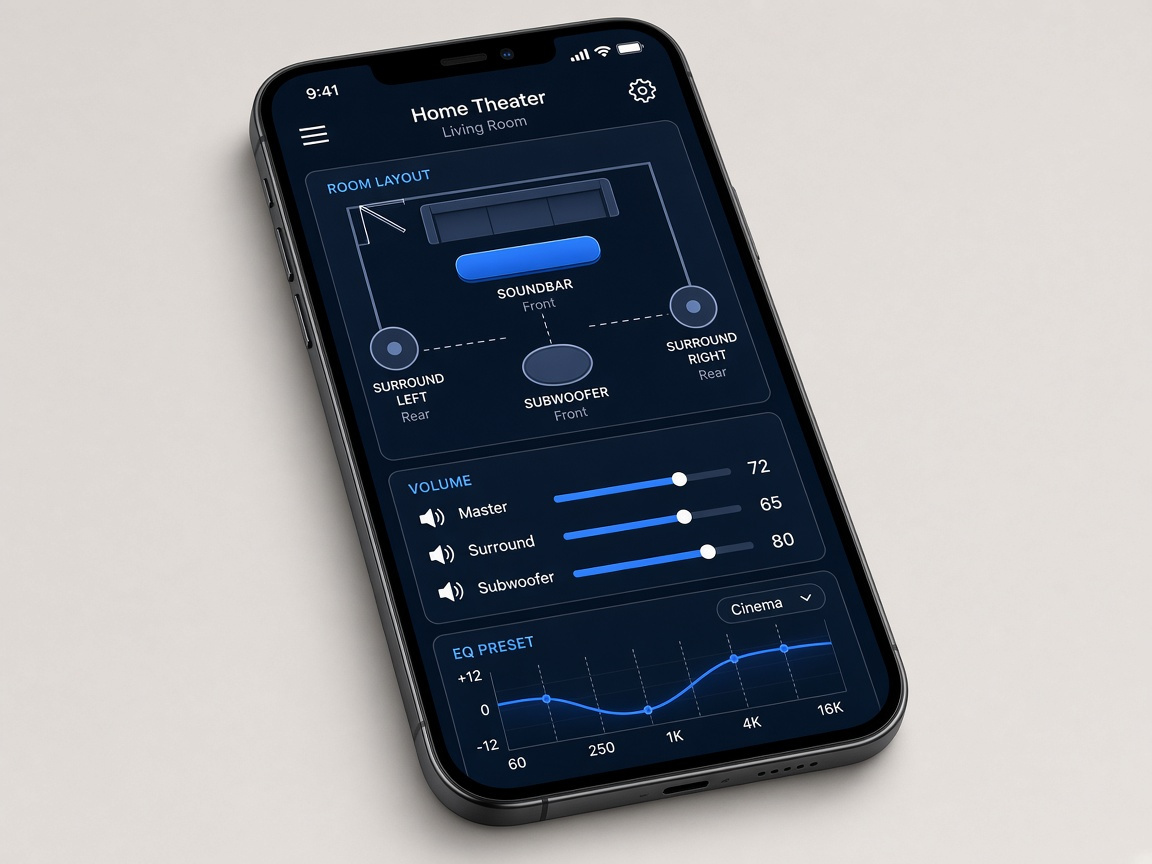
Adjust per-speaker settings in the S2 app. Review the EQ curves for each speaker, the Sub’s crossover level, and the surround volume relative to the soundbar. These are adjustable after Trueplay has set the baseline acoustic correction.
-
Verify the Dolby Atmos signal chain with a known title. Play a confirmed Dolby Atmos title from a supported streaming service. The Now Playing screen in the S2 app displays the active audio format. Confirm it reads “Dolby Atmos” rather than “Dolby Digital” or “Stereo” before closing out the installation.
What Are the Practical Limitations of Sonos in a Dedicated Home Theater?
Sonos performs well in living room and casual home theater environments. In a dedicated, acoustically treated room designed specifically for cinema performance, its limitations become more consequential. The first is passive speaker incompatibility within the bonded home theater group. A dedicated cinema room typically drives high-sensitivity tower speakers or in-wall speakers from a separate amplifier — a configuration that Sonos cannot replicate within its bonded home theater model. A Sonos Amp can drive passive speakers, but those speakers cannot be assigned as surround channels within the Sonos home theater group; they operate only as a separate audio zone.
The second limitation is room correction depth. Sonos Trueplay is effective in domestic settings, but its correction toolset is significantly less configurable than mature DSP platforms found in mid-to-high-tier AV receivers — Audyssey MultEQ XT32, Dirac Live, or YPAO Precision. Trueplay offers no per-band manual EQ adjustment, no target curve editing, no measurement export, and no per-seat optimization. For users who want granular control over the system’s frequency response in a treated room, a traditional AV receiver with an advanced DSP platform provides capabilities that Sonos currently does not offer.
The third limitation is channel count ceiling. Sonos’s maximum supported configuration is 5.1.4. Dedicated home theaters with larger room volumes commonly benefit from 7.1.4 or larger configurations, with discrete back-surround speakers and additional height channel positions. Sonos has no current hardware path to those configurations. For anyone planning a room-within-a-room dedicated cinema build, reviewing the full scope of the room design and speaker positioning requirements alongside the Sonos product range helps establish accurate expectations before the build begins.
What Can You Expect From Sonos Home Theater Over the Next 12–24 Months?
The Era 300’s architecture — six Class D amplifiers driving six transducers including a dedicated upward-firing channel — signals Sonos’s commitment to expanding its object-based audio capability. The most likely near-term development is tighter integration with display manufacturers that have broadly adopted HDMI eARC, as that connectivity is now standard across mid-range and premium television segments. Deeper TV-side handshake improvements could reduce the TV audio configuration friction that currently causes Atmos signal chain failures on some television models.
Android Trueplay parity with the full iOS measurement implementation is a development the Sonos user community has tracked since the introduction of simplified auto-tuning on Android. Closing that gap — delivering a full room-walking measurement process equivalent to the iOS Trueplay workflow — would eliminate the iOS device dependency that currently affects Android-only households. No official announcement has been made, but the existing auto-tuning infrastructure represents a technical foundation consistent with that direction.
Multi-room audio behavior during home theater sessions is a likely area for software refinement. The current limitation — that active TV audio prevents the home theater group from participating in a whole-home music group — is a recognized friction point. Future software updates allowing background music to continue in non-theater zones while TV audio plays exclusively in the theater zone would align with the direction Sonos has pursued in its broader multi-room architecture. These are product evolution observations based on existing architecture and community feedback, not confirmed items on any published Sonos roadmap.
Frequently Asked Questions: Sonos with Home Theater
Does Sonos Arc support Dolby Atmos without a TV connected?
Yes. Sonos Arc decodes Dolby Atmos from supported streaming services — including Apple Music, Tidal, and Amazon Music HD — directly through the Sonos S2 app without any TV required. For music content delivered in Dolby Atmos, Arc renders the object-based format through its upward and side-firing drivers. For cinema Dolby Atmos content, the TV connection via HDMI eARC is required to deliver the encoded stream from video sources to the soundbar.
Can you use Sonos speakers with a projector-based home theater?
Yes, with routing through an intermediate device. Projectors do not carry HDMI eARC outputs — the Arc cannot connect directly to a projector. The standard approach routes all source devices through a television or through an AV receiver with an HDMI eARC output feeding the Arc. Some integrators use an HDMI audio extractor to split the audio signal from the video path before the projector, sending audio to the Arc while video continues to the projector. This approach requires careful attention to HDCP compliance and signal timing to avoid handshake failures.
How many speakers can a Sonos home theater configuration include?
The maximum Sonos-supported home theater configuration is Arc + Sub Gen 3 + two Era 300 speakers bonded as surrounds, delivering a 5.1.4 channel system per Sonos product specifications. Beyond the bonded home theater group, additional Sonos speakers in the same room operate as separate audio zones and cannot be assigned to home theater channel positions. There is no current Sonos hardware path to 7.1 or 7.1.4 configurations.
Does Sonos support Amazon Alexa and Google Assistant for home theater control?
Yes. Sonos Arc and other S2-compatible speakers support both Amazon Alexa and Google Assistant as built-in voice assistants. Volume control, play/pause, source switching within the Sonos app, and grouped playback commands are all available via voice. TV input switching and hardware-level source changes still require the TV’s own smart home integration or the television remote, since Sonos does not control the TV’s HDMI input selector directly.
Is Sonos worth adding to a room that already has a full AV receiver system?
Sonos adds value alongside an existing AV receiver installation primarily through multi-room music streaming and voice-integrated playback, not through superior home theater audio performance. A properly calibrated AV receiver driving quality passive speakers will generally deliver more configurable performance for cinema audio than any current Sonos configuration, particularly in larger rooms. If the goal is multi-room music extension and streaming service convenience without rewiring, Sonos adds real capability as a parallel system. If the goal is improved cinema audio quality in a dedicated room, retaining and upgrading the AV receiver path is the more direct solution.
Can Sonos work effectively in a small home theater room?
Yes — Sonos is well-suited to small and medium-sized home theater rooms. In smaller spaces, the Arc’s output is sufficient without a subwoofer for many users, though the Sub adds low-frequency extension that the soundbar alone cannot reproduce below approximately 50Hz per its design specifications. Trueplay calibration is particularly effective in small rooms, where early reflections are most concentrated and the room correction algorithm can apply meaningful targeted compensation. Owner reviews in audio communities consistently describe small-room Sonos setups as punching well above their cabling complexity.
Next Steps: Building Your Sonos Home Theater System
Sonos home theater integration delivers the best results when planned as a complete system rather than assembled incrementally without a target configuration. The ecosystem’s internal logic — bonded speaker groups, Trueplay calibration, eARC signal chains — works optimally when room acoustics, TV eARC capability, and the target Sonos configuration are all defined before hardware is purchased.
A practical implementation sequence:
- Confirm HDMI eARC on the TV. Verify the labeled port before anything else. If not present, Dolby Atmos via Arc requires a TV upgrade before the system can reach its full capability.
- Assess the room acoustically. Identify hard reflective surfaces, ceiling height, and room dimensions. These determine whether Era 300 height channels will render effectively or whether Era 100 surrounds are more appropriate for the space.
- Define the target Sonos configuration. Entry: Arc only. Foundational: Arc + Sub Mini. Performance: Arc + Sub Gen 3. Reference: Arc + Sub Gen 3 + Era 300 stereo pair.
- Plan the network path. Identify whether Ethernet can reach the Arc’s installation location. A single wired connection significantly improves system-wide wireless stability for the bonded surround speakers.
- Install and configure in one session. Run Trueplay immediately after all speakers are bonded and in final positions. Repositioning after calibration requires a re-tune, which is straightforward but adds time to the process.
- Verify the full Dolby Atmos signal chain. Confirm the S2 app Now Playing screen shows “Dolby Atmos” on a known Atmos title before treating the installation as complete.
- Test DTS content if relevant. If physical media or any source includes DTS-encoded content, test the TV’s DTS decode and PCM output capability before committing to Sonos as the sole audio path for that source.
Sonos home theater delivers a genuinely capable, cleanly integrated audio experience for streaming-first households in 2026. Its limitations — no DTS, no passive speaker integration within the bonded group, no expandability beyond 5.1.4 — are real but predictable and well-documented. Understanding them in advance makes Sonos a deliberate architectural choice rather than a compromise discovered after the installation is complete.